
In Titan SFTP Server, you can configure an SMTP server and use it to be able to send email notifications.
Steps
- Navigate to the server level and click on the Email tab.
- Configure the SMTP server parameters like IP/hostname, port, default from address, etc.
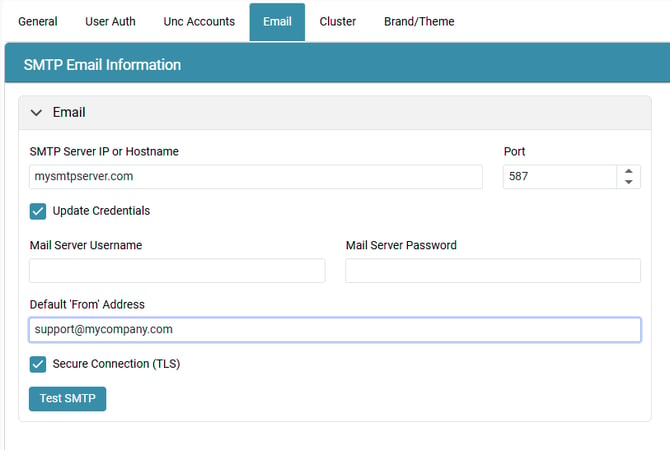
- Click on the “Test SMTP” button to ensure connectivity succeeds.
NOTE: Make sure you configure the correct port depending if the connection is secure or not.
- Click on Apply.
- You can configure an event to test the email notifications.