
Steps
Navigate to the “User Auth” tab at the server level.
Click on the “+” icon on the far right had side.
Click on the drop down menu and select “Windows Active Directory (ADSI)” and click on Next.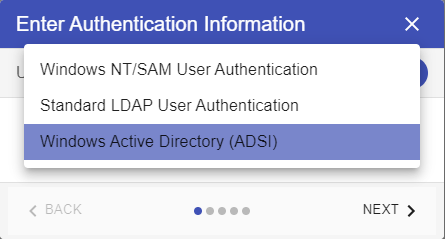
Enter the final domain information. Click on “Test” button to confirm it is working correctly and then click on Finish.
Once complete, please navigate to Groups, click on the "+" icon, search for the AD group you would like to add to Titan and add it
Navigate to the ADSI tab of the Users tree and confirm your users are present