
Skip to content
  • There are no suggestions because the search field is empty.

How To: Create Disk Quotas In Titan SFTP

You have the option in Titan SFTP to create disk quotas so we set limits to each user or server instance as a whole to ensure we don’t run out of disk space.

Steps

  1. Navigate to the Files/Directories section and click on the “Quotas” tab.
  2. Click on the “Enable Disk Quotas” check box.
  3. Input the disk space limit you would like in KBs as seen in the below screen:
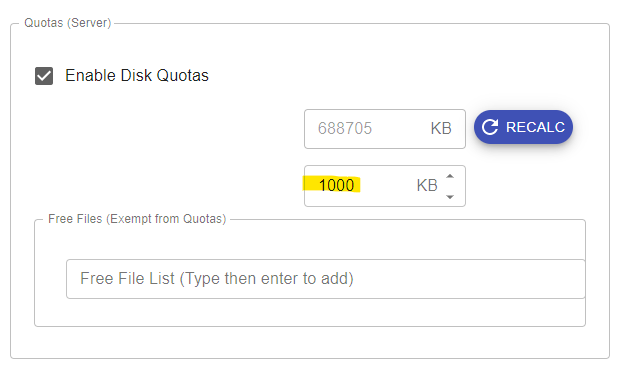
     Quota


    Need More Help? We’ve Got You Covered.

    If you didn’t find what you were looking for, our support team is here to help. Customers with active maintenance and support can join the help desk and Submit a ticket and one of our experts will follow up shortly.