
Steps
Navigate to Security and click on IP access tab.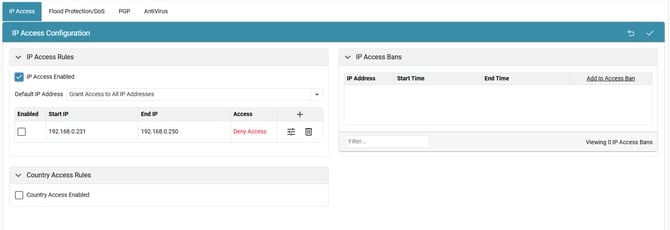
Click on '+' to Manage Rules.
Configure the IP access rule settings:
- Protocols dropdown: Select which protocol this rule will apply to.
- Enable option to enable this access rule.
- Input the start and end IP address range.
- Allow or deny access by enabling or disabling the “Allow Access” checkbox
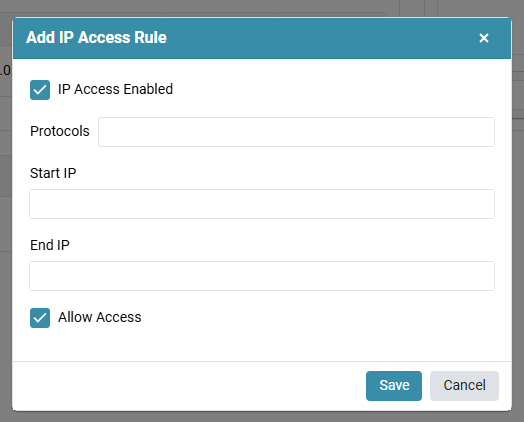
- Click on Save