
Steps
- Navigate to the Files/Directories section and click on the Configuration tab.
- Add file extensions you want to exclude from being uploaded as seen in below example. Type the file extension and hit enter to add.
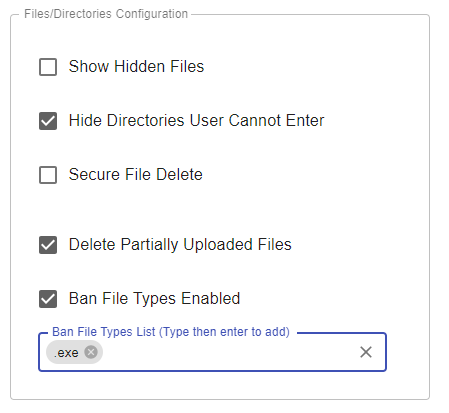
Click on Apply.
Click on Apply.
If you didn’t find what you were looking for, our support team is here to help. Customers with active maintenance and support can join the help desk and Submit a ticket and one of our experts will follow up shortly.