
Follow these steps to set a time limit for user connections:
Steps
For Server:
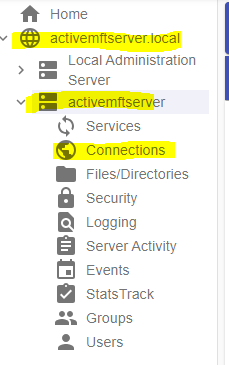
- Navigate to the Server instance, then select the 'Connections' node and select 'General' Tab.
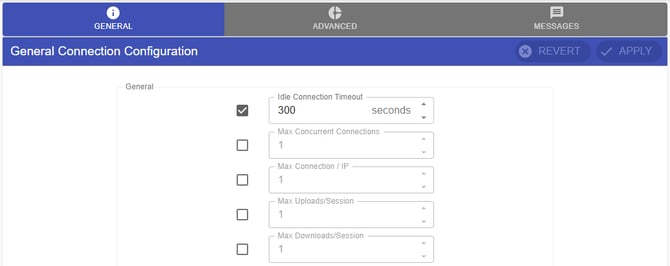
- In General tab, check the Idle Connection Timeout and set to it to your desire idle connection time limit. Then click APPLY. Restart service and test.
Note: You can also configure this by Group Level or User Level.
For Groups: Go to Groups > Select a Group then Edit and Select Edit Group Connections.
For User: Go to Groups > Select a Group then Edit and Select Edit User Connections.