
Question
I installed Titan SFTP server and after trying to access the admin page for the first time on my browser, it fails to load.
Answer
The most likely issue is due a mismatch of the TLS algorithms between the OS level and you’re your browser. You can use a tool like IIS Crypto to apply recommended settings and enable the more secure ciphers which will allow you to establish the secure connection and access the admin page.
NOTE: Internet Explorer is not a supported web browser.
Steps
- Download IIS Crypto.
- Open IIS Crypto and navigate to Cipher Suites and click on the “Best Practices” button on the bottom.
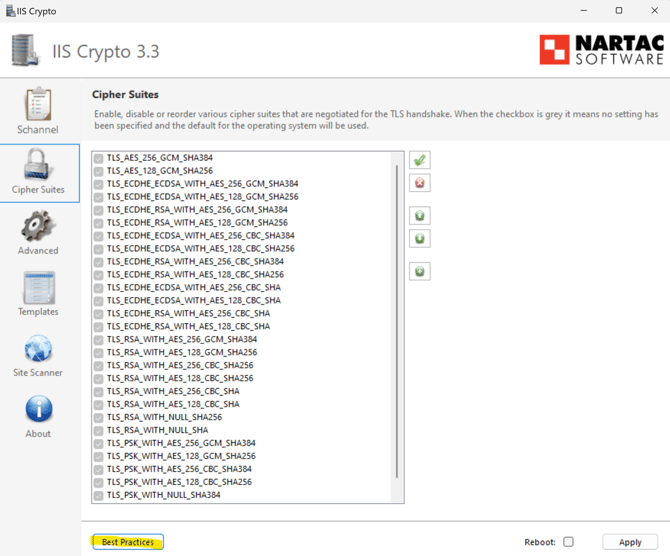
- Click on Apply
- Reboot the Windows server.
- After reboot, access the Titan SFTP server admin page and confirm it now loads up correctly.